
HubSpot Free CRM Review: What You Actually Get (2026)
7.7/10 — Review score
Evidence confidence: medium
Tested Sep 16, 2026
ReviewMuzamal Ali · Updated · 3 min read
Testing evidence
- Tested by
- StackFairly founder
- Test period
- Sep 16, 2026
- Plan tested
- Free plan
- Region
- US business profile
- Pricing verified
- Sep 16, 2026
- Affiliate relationship
- Yes
Quick verdict
- Best for
Solo founders and small teams who want real deal-tracking and email tools for free, and don't need automation yet
- Not for
Anyone who needs even basic automation — it's fully paywalled, with no free tier
- Cheapest paid step
Starter, $20/mo/seat (running at $7/mo/seat on a limited-time promo, verified Sep 16, 2026)
What's actually free
The core CRM is genuinely usable, not a crippled demo. During testing we created 20 contacts, built a deal, moved it through a full 5-stage pipeline, and logged a call, a note, and a task — all without hitting a single upgrade prompt. Contacts are capped at 1,000, which the app surfaces directly ("You've used 2 of 1,000 contacts") — plenty of room for an early-stage small business. Free plan covers up to 2 users, no credit card required to sign up.
Marketing Emails is also free, with ready-made templates (Simple, Newsletter, Promotion) and no paywall hit when opening the editor.
| Plan | Price | Users | Contacts | Automation |
|---|---|---|---|---|
| Free | $0/mo | 2 | 1,000 | None — fully locked |
| Starter Customer Platform | $20/mo/seat ($7/mo promo) | Per seat | 1,000+ marketing contacts | Included in Starter hubs |
| Pricing verified Sep 16, 2026 | ||||
Setup experience
Signup was fast — no credit card requested, straight into the app. The Home dashboard greets you by name ("Start growing your pipeline") with a prompt to connect Google for inbox/calendar sync, and a left-hand nav already showing Contacts, Companies, Deals, Tasks, Segments, Marketing Emails, and Workflows.
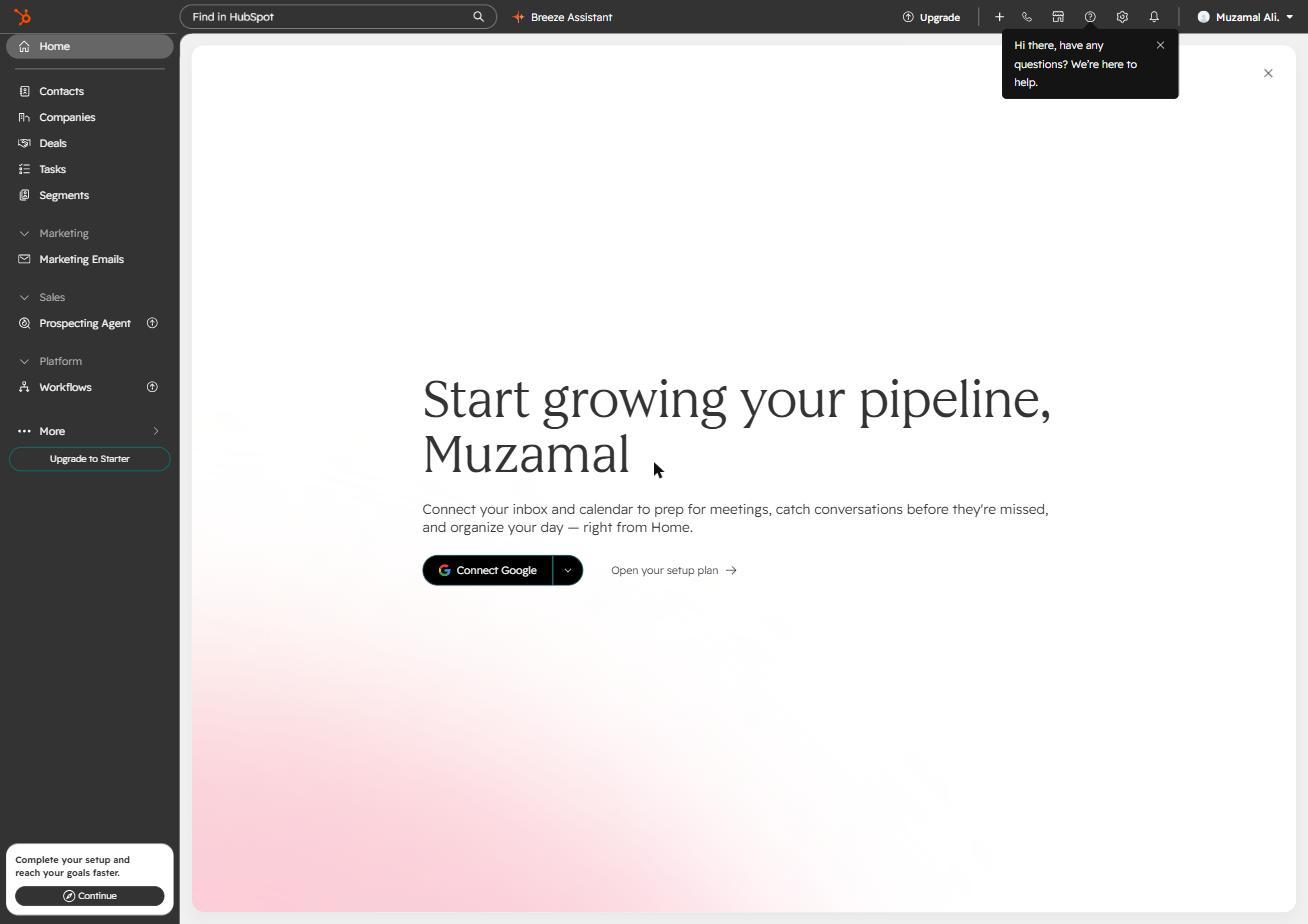
The account also ships with two sample contacts (HubSpot's own founders, used as demo data), which is a small, sensible touch for orientation before you import anything real.
Building the pipeline
The default Sales Pipeline ships with 5 stages out of the box: Appointment Scheduled → Qualified To Buy → Presentation Scheduled → Decision Maker Bought-In → Contract Sent (plus Closed Won/Lost). We created a test deal, associated it with a contact, and dragged it through every stage on the board view.
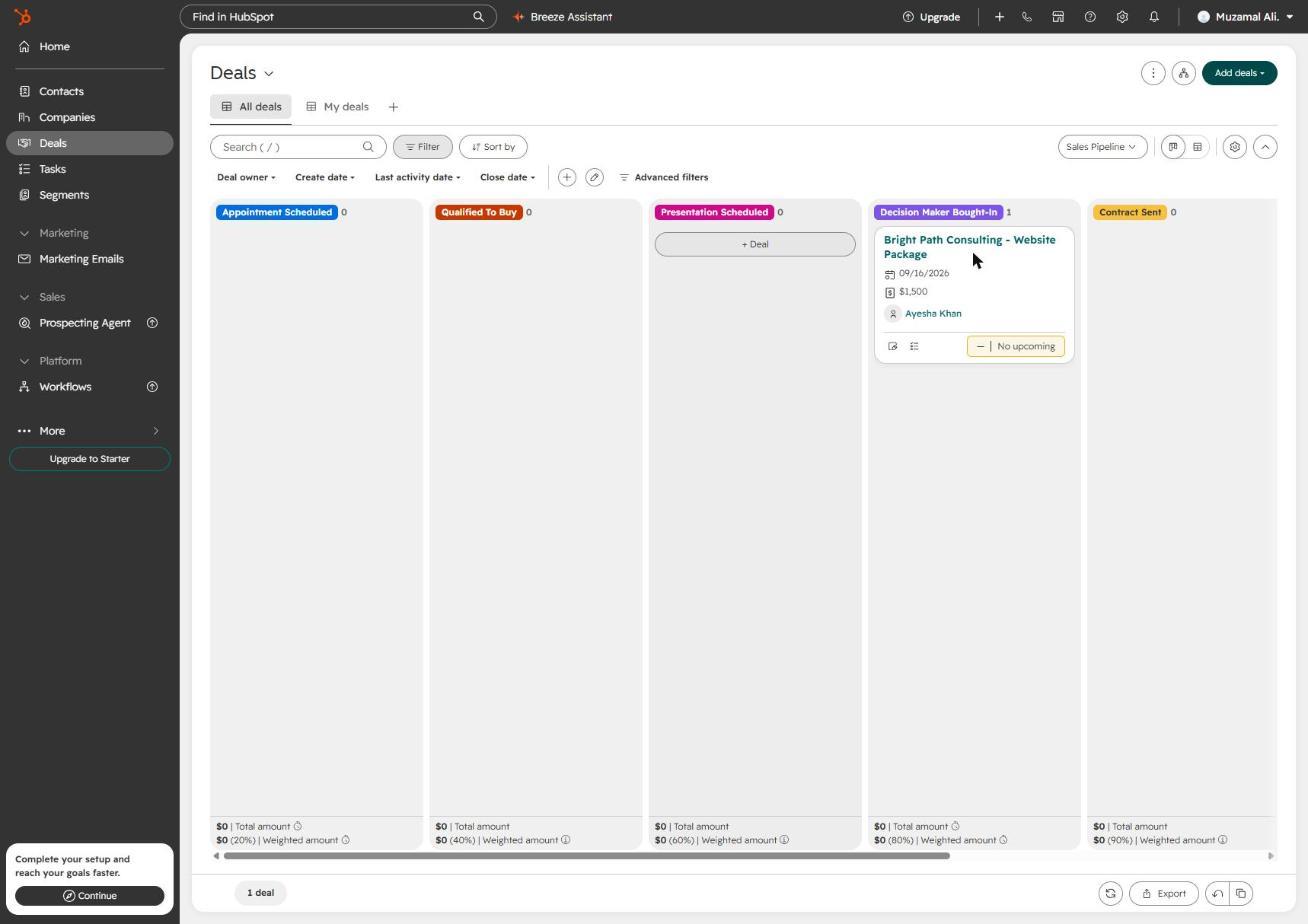
Drag-and-drop was smooth with no lag, and every move was logged automatically to the deal's activity timeline with a full timestamp and the acting user's name — genuinely solid audit-trail behavior for a free tool.
Where free ends
This is the section that matters most, and it's blunt: Workflows — HubSpot's automation builder — is completely locked on the free plan. Clicking it in the nav doesn't show a limited version; it redirects straight to a "Rotate your leads and automate tasks... Unlock this with Sales Hub Professional" upgrade page, with a "Start 14-day trial" as the only way to try it.
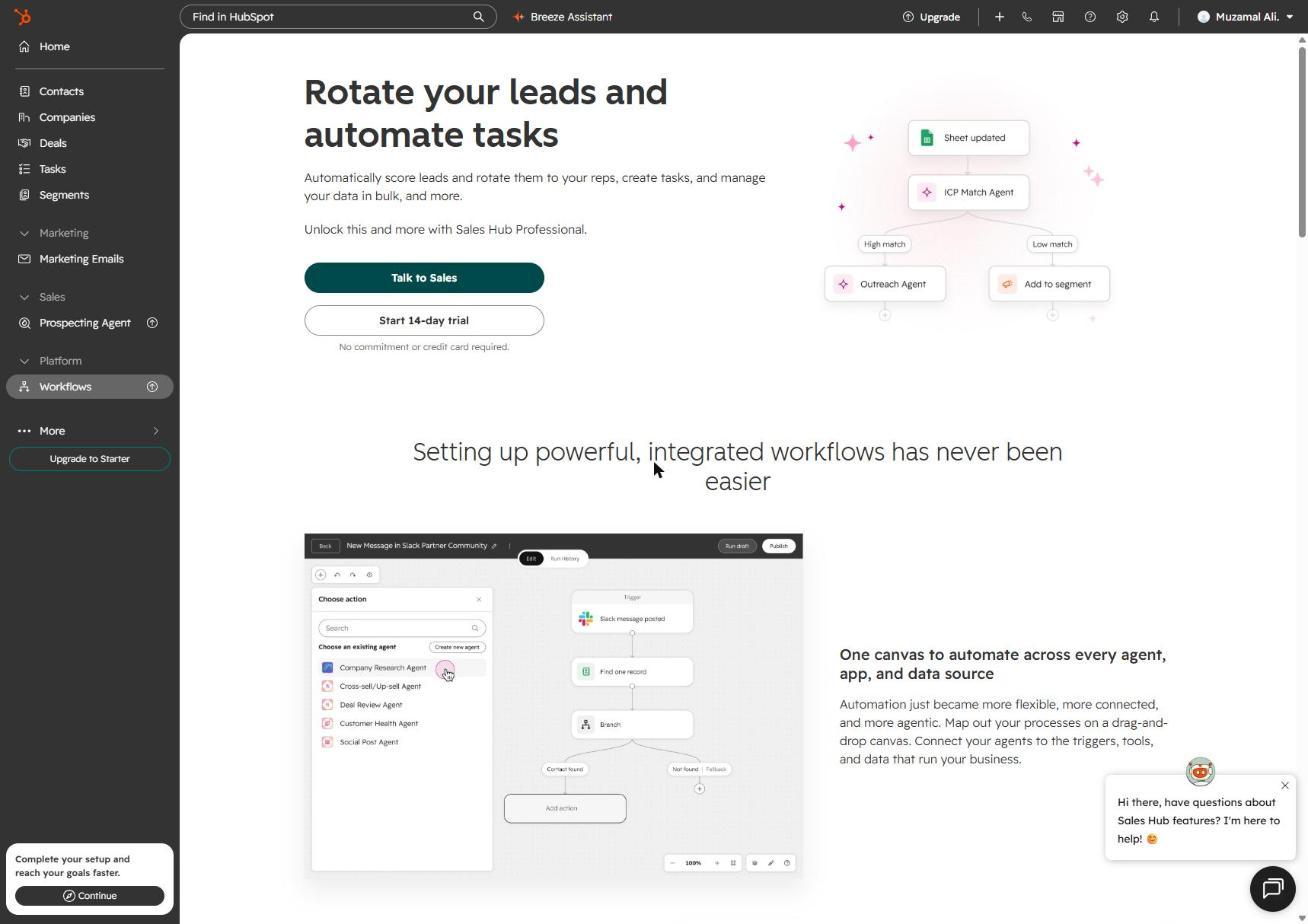
That's a meaningfully harder line than some competitors draw — there's no "1 free workflow" tier here, it's all or nothing. If automated lead routing or follow-up sequences are why you're evaluating a CRM, budget for at least Starter from day one.
Pros
- Free tier includes real CRM functionality — pipeline, contacts, activities, no artificial time limit
- 1,000 contacts is a workable ceiling for an early-stage small business, and the limit is clearly surfaced in-app
- Data export is unrestricted on free — no lock-in, CSV export just works
- Activity logging (calls, notes, tasks) is fully featured and properly timestamped, even on free
Cons
- Automation (Workflows) is 100% paywalled — no free tier at all, not even a limited one
- Only 2 users on the free plan, so it stops working as a team tool almost immediately
- Starter pricing is seat-based, so costs scale linearly as the team grows
Free HubSpot vs free Zoho
Both offer usable free CRM cores, but they draw the automation line differently — Zoho's free tier includes limited workflow rules where HubSpot's includes none. See the full breakdown in our HubSpot vs Zoho comparison.
Verdict: who should use it
Solo founder or freelancer: Good fit. You get a real pipeline and activity tracking for $0, and you're unlikely to need automation yet.
2-5 person team, no automation needs: Still works, but you'll hit the 2-user ceiling fast — budget for Starter seats.
Anyone planning to automate follow-ups or lead routing: Skip the free plan entirely and price out Starter or above before committing time to setup — building your pipeline on free just to discover automation is fully gated is the most common frustration this review surfaced.
Final verdict
7.7/10 · Evidence confidence: medium
Try HubSpot Free CRM Affiliate linkFrequently asked questions
Yes. The core CRM — contacts, companies, deals, pipeline, notes, calls, tasks, and meetings — has no time limit on the free plan. Limits apply to volume and specific features, not duration.
1,000 contacts, confirmed directly in the account's Data Integration screen during testing ("You've used X of 1,000 contacts"). Past that, you need to upgrade to add more.
Yes — Marketing Emails is unlocked on the free plan with ready-made templates (Simple, Newsletter, Promotion), no upgrade prompt hit during testing. Sending volume is capped and scales with paid tiers, so check current limits in-app before relying on it for larger sends.
No. Workflows — HubSpot's automation builder — is fully locked on the free plan. Opening it redirects straight to an upgrade page for Sales Hub Professional, with no free tier of automation at all.
Yes, freely. The contact export tool worked with no paywall during testing — CSV export, up to 1,000 associated records per column, delivered to your notifications center. No lock-in on this front.
Related articles
Best CRM Software for Small Businesses (2026)
We tested HubSpot, Zoho, and Pipedrive hands-on — signups, pipelines, and automation. Here's which one actually fits your small team, and why.
HubSpot vs Zoho CRM: Which Free Plan Is Actually Better?
We tested both free plans hands-on — contacts, pipelines, and automation. Here's exactly where each one wins, with no vague 'it depends' hand-waving.
What Is a CRM? A Beginner's Guide for Small Businesses
A CRM tracks your customers, deals, and follow-ups in one place. Here's what it actually does, when you need one, and what it costs to get started.

About Muzamal Ali
Founder, StackFairly
Muzamal Ali runs StackFairly, an independent software review site. Where an article says hands-on, the free plan was signed up for and used; research articles are labeled as research. Rankings are never influenced by affiliate payouts.